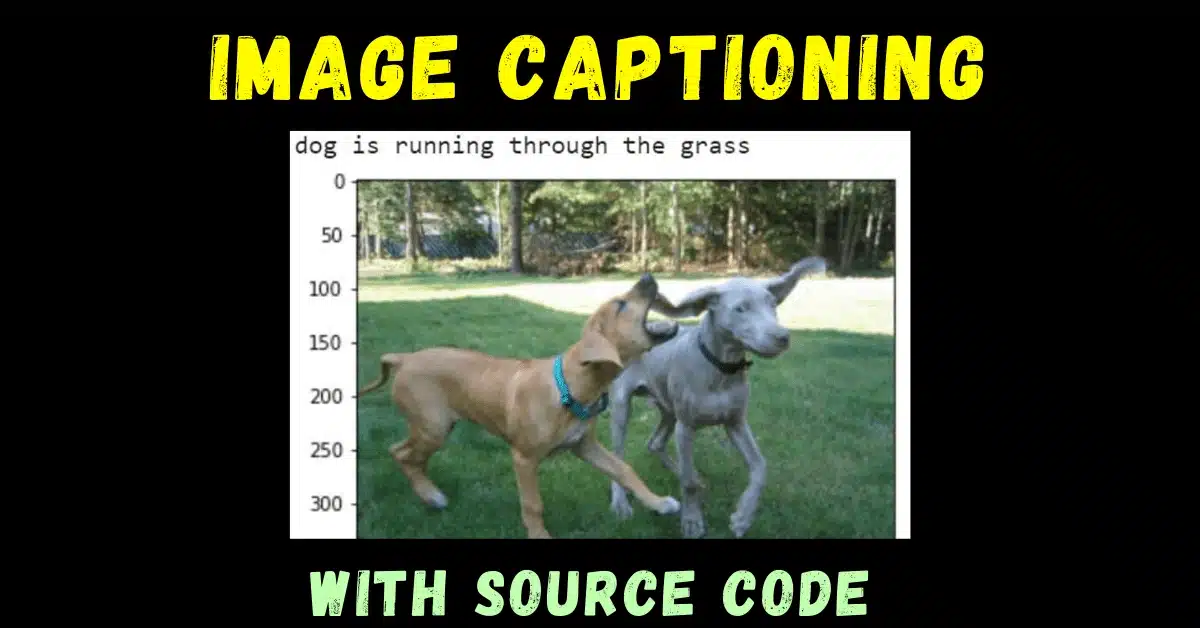
So guys in today’s blog we will implement the Image Captioning project which is a very advanced project. We will use a combination of LSTMs and CNNs for this use case.
So without any further due, Let’s do it…
Step 1 – Importing required libraries for Image Captioning.
import os
import pickle
import string
import tensorflow
import numpy as np
import matplotlib.pyplot as plt
from keras.layers.merge import add
from keras.models import Model,load_model
from keras.callbacks import ModelCheckpoint
from keras.preprocessing.text import Tokenizer
from keras.utils import to_categorical,plot_model
from keras.preprocessing.sequence import pad_sequences
from keras.applications.vgg16 import VGG16,preprocess_input
from keras.layers import Input,Dense,LSTM,Embedding,Dropout
from keras.preprocessing.image import img_to_array,load_img
from nltk.translate.bleu_score import sentence_bleu,corpus_bleu
%matplotlib inline
Step 2 – Extract features from the images using VGG-16.
def extract_features(directory):
  model = VGG16()
  model.layers.pop()
  model = Model(inputs=model.inputs,outputs=model.layers[-1].output)
  print(model.summary())
  features = {}
  i=0
  for name in os.listdir(directory):
    print(i)
    img = load_img(directory+'/'+name,target_size=(224,224))
    img = img_to_array(img)
    img = img.reshape((1,img.shape[0],img.shape[1],img.shape[2]))
    img = preprocess_input(img)
    feature = model.predict(img,verbose=0)
    img_id = name.split('.')[0]
    features[img_id] = feature
    i+=1
  return features

directory ='drive/My Drive/image_captioning/Flicker8k/Flicker8k_Dataset'
features = extract_features(directory)
Step 3 – Load, Clean and Save image descriptions.
def load_description(filename):
  mappings = {}
  file = open(filename,'r')
  content = file.readlines()
  file.close()
  for lines in content:
    tokens = lines.split()
    if len(lines)<2:
      continue
    image_id,image_desc = tokens[0].split('.')[0],tokens[1:]
    image_desc = ' '.join(image_desc)
    if image_id not in mappings:
      mappings[image_id] = []
    mappings[image_id].append(image_desc)
  return mappings


def clean_description(descriptions):
  table = str.maketrans('','',string.punctuation)
  for k,image_descriptions in descriptions.items():
    for i in range(len(image_descriptions)):
      desc = image_descriptions[i]
      desc = desc.split()
      desc = [x.lower() for x in desc]
      desc = [w.translate(table) for w in desc]
      desc = [x for x in desc if len(x)>1]
      desc = [x for x in desc if x.isalpha()]
      image_descriptions[i] = ' '.join(desc)

def create_corpus(descriptions):
  corpus = set()
  for k in descriptions.keys():
    [corpus.update(x.split()) for x in descriptions[k]]
  return corpus

def save_descriptions(desc,filename):
  lines = []
  for k,v in desc.items():
    for description in v:
      lines.append(k+' '+description)
  data = '\n'.join(lines)
  file = open(filename,'w')
  file.write(data)
  file.close()

# load all descriptions
filename = 'drive/My Drive/image_captioning/Flicker8k/Flickr8k.token.txt'
descriptions = load_description(filename)
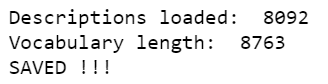
print('Descriptions loaded: ',len(descriptions))

# clean the loaded descriptions
clean_description(descriptions)

# check the vocabulary length
vocabulary = create_corpus(descriptions)
print('Vocabulary length: ',len(vocabulary))
save_descriptions(descriptions,'drive/My Drive/image_captioning/descriptions.txt')

print('SAVED !!!')
Step 4 – Load train and test image features and descriptions.
def load_set_of_image_ids(filename):
  file = open(filename,'r')
  lines = file.readlines()
  file.close()
  image_ids = set()
  for line in lines:
    if len(line)<1:
      continue
    image_ids.add(line.split('.')[0])
  return image_ids

def load_clean_descriptions(all_desc,train_desc_names):
  file = open(all_desc,'r')
  lines = file.readlines()
  descriptions = {}
  for line in lines:
    tokens = line.split()
    image_id,image_desc = tokens[0].split('.')[0],tokens[1:]
    if image_id in train_desc_names:
      if image_id not in descriptions:
        descriptions[image_id] = []
      desc = 'startseq ' + ' '.join(image_desc) + ' endseq'
      descriptions[image_id].append(desc)
  return descriptions

def load_image_features(filename,dataset):
  all_features = pickle.load(open(filename,'rb'))
  features = {k:all_features[k] for k in dataset}
  return features

# load train image ids
train = 'drive/My Drive/image_captioning/Flicker8k/Flickr_8k.trainImages.txt'
train_image_ids = load_set_of_image_ids(train)
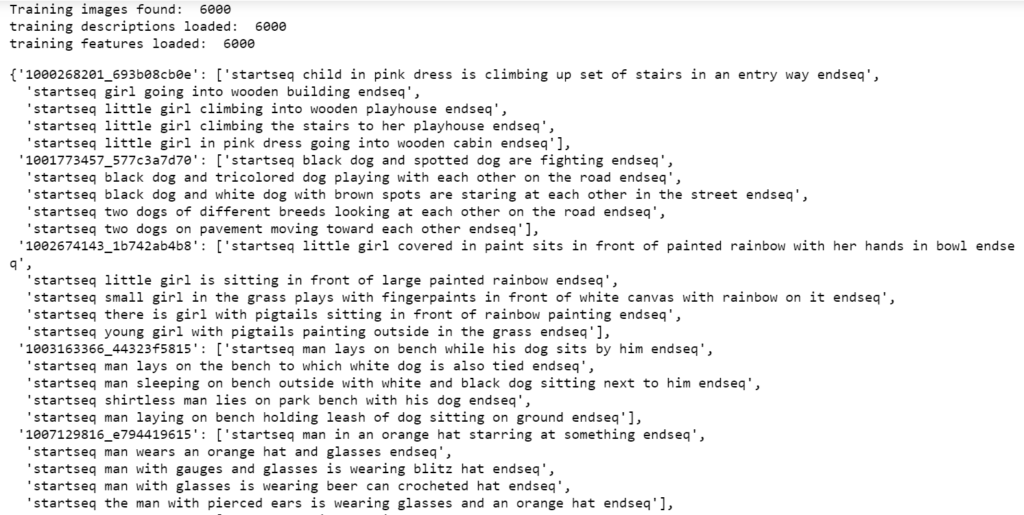
print('Training images found: ',len(train_image_ids))

# load training descriptions
train_descriptions = load_clean_descriptions('drive/My Drive/image_captioning/descriptions.txt',train_image_ids)
print('training descriptions loaded: ',len(train_descriptions))

# load training image features
train_features = load_image_features('drive/My Drive/image_captioning/Flicker_dataset_image_features.pkl',train_image_ids)
print('training features loaded: ',len(train_features))

train_descriptions
Step 5 – Getting descriptions in shape.
def to_list(descriptions):
  all_desc_list = []
  for k,v in descriptions.items():
    for desc in v:
      all_desc_list.append(desc)
  return all_desc_list

def tokenization(descriptions):
  # list of all the descriptions
  all_desc_list = to_list(descriptions)
  tokenizer = Tokenizer()
  tokenizer.fit_on_texts(all_desc_list)
  return tokenizer

# create tokenizer
tokenizer = tokenization(train_descriptions)

# word index is the dictionary /mappings of word-->integer
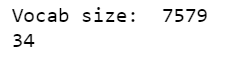
vocab_size = len(tokenizer.word_index)+1
print('Vocab size: ',vocab_size)

def max_length(descriptions):
  all_desc_list = to_list(descriptions)
  return (max(len(x.split()) for x in all_desc_list))


def create_sequences(tokenizer,desc_list,max_len,photo):
  X1,X2,y = [],[],[]
  # X1 will contain photo
  # X2 will contain current sequence
  # y will contain one hot encoded next word

  for desc in desc_list:
    # tokenize descriptions
    seq = tokenizer.texts_to_sequences([desc])[0]
    for i in range(1,len(seq)):
      # out seq is basically the next word in the sentence
      in_seq,out_seq = seq[:i],seq[i]
      # pad input sequence
      in_seq = pad_sequences([in_seq],maxlen=max_len)[0]
      # one hot encode output sequence
      out_seq = to_categorical([out_seq],num_classes=vocab_size)[0]
      X1.append(photo)
      X2.append(in_seq)
      y.append(out_seq)
  return np.array(X1),np.array(X2),np.array(y)

# maximum length that a description can have OR the biggest description we are having
max_len = max_length(train_descriptions)
print(max_len)
Step 6 – Functions to generate data and create a model.
def data_generator(descriptions,photos,tokenizer,max_len):
  while 1:
    for k,desc_list in descriptions.items():
      photo = photos[k][0]
      in_img,in_seq,out_seq = create_sequences(tokenizer,desc_list,max_len,photo)
      yield[[in_img,in_seq],out_seq]

def define_model(vocab_size, max_length):
	# image features extractor model
	inputs1 = Input(shape=(4096,))
	fe1 = Dropout(0.5)(inputs1)
	fe2 = Dense(256, activation='relu')(fe1)

	# input sequence model
	inputs2 = Input(shape=(max_length,))
 	# embedding(input_dimension,output_dimension,)
 	# input dim is always the vocabulary size
	# output dimension tells the size of vector space in which the words will be embedded
	# mask zero is used when the input itself is 0 then to not confuse it with padded zeros it is used as True
	se1 = Embedding(vocab_size, 256, mask_zero=True)(inputs2)
	se2 = Dropout(0.5)(se1)
	se3 = LSTM(256)(se2)

	# decoder model OR output word model
	decoder1 = add([fe2, se3])
	decoder2 = Dense(256, activation='relu')(decoder1)
	outputs = Dense(vocab_size, activation='softmax')(decoder2)

	# tie it together [image, seq] [word]
	model = Model(inputs=[inputs1, inputs2], outputs=outputs)
	model.compile(loss='categorical_crossentropy', optimizer='adam')

	# summarize model
	print(model.summary())
	return model
Step 7 – Creating and training the Image Captioning model.
model = define_model(vocab_size,max_len)
epochs = 20
steps = len(train_descriptions)
for i in range(epochs):
  generator = data_generator(train_descriptions,train_features,tokenizer,max_len)
  model.fit_generator(generator,epochs=1,steps_per_epoch=steps,verbose=1)
  model.save('drive/My Drive/image_captioning/model_'+str(i)+'.h5')
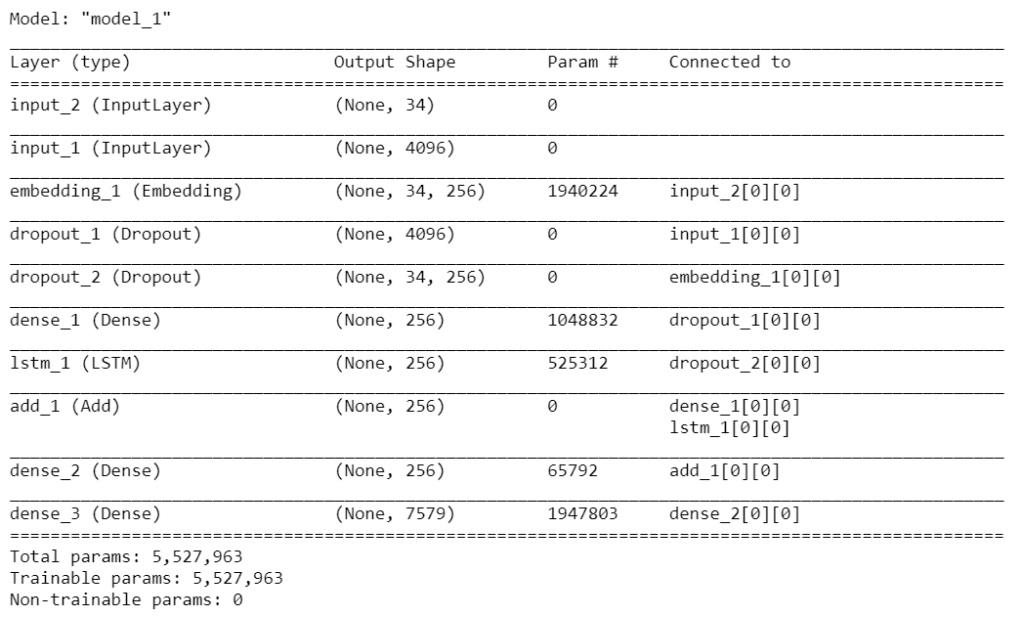
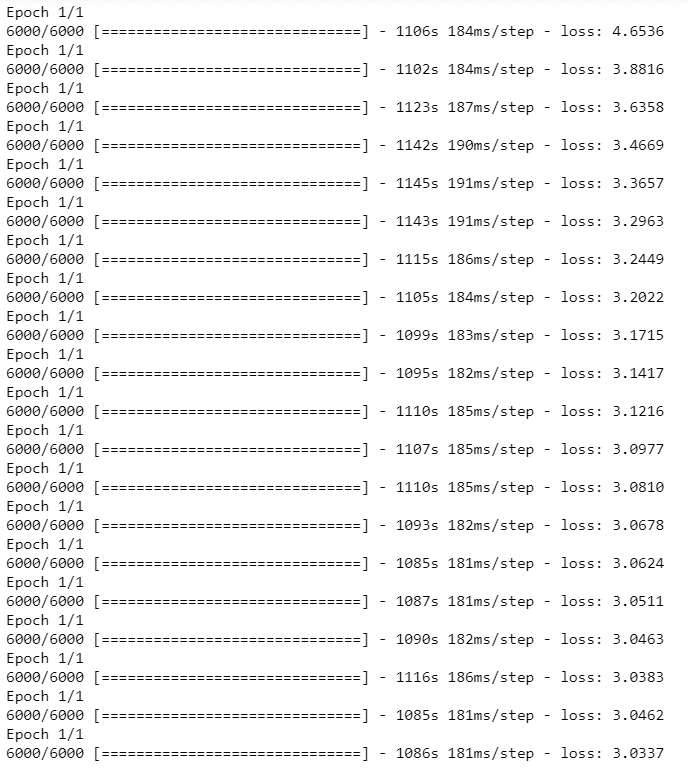
Step 8 – Prediction and Evaluation functions for the Image Captioning model.
def int2word(tokenizer,integer):
  for word,index in tokenizer.word_index.items():
    if index==integer:
      return word
  return None

def predict_desc(model,tokenizer,photo,max_len):
  in_seq = 'startseq'
  for i in range(max_len):
    seq = tokenizer.texts_to_sequences([in_seq])[0]
    seq = pad_sequences([seq],maxlen=max_len)
    y_hat = model.predict([photo,seq],verbose=0)
    y_hat = np.argmax(y_hat)
    word = int2word(tokenizer,y_hat)
    if word==None:
      break
    in_seq = in_seq+' '+word
    if word=='endseq':
      break
  return in_seq

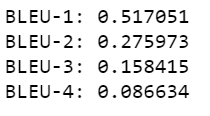
def evaluate_model(model,descriptions,photos,tokenizer,max_len):
  actual,predicted = [],[]
  for key,desc in descriptions.items():
    y_hat = predict_desc(model,tokenizer,photos[key],max_len)
    references = [d.split() for d in desc]
    actual.append(references)
    predicted.append(y_hat.split())
  print('BLEU-1: %f' %corpus_bleu(actual,predicted,weights=(1.0,0,0,0)))
  print('BLEU-2: %f' %corpus_bleu(actual,predicted,weights=(0.5,0.5,0,0)))
  print('BLEU-3: %f' %corpus_bleu(actual,predicted,weights=(0.33,0.33,0.33,0)))
  print('BLEU-4: %f' %corpus_bleu(actual,predicted,weights=(0.25,0.25,0.25,0.25)))
Step 9 – Evaluating Image Captioning model.
####################  load training data (6k)  ##########################
train = 'drive/My Drive/image_captioning/Flicker8k/Flickr_8k.trainImages.txt'
train_image_ids = load_set_of_image_ids(train)
print('Training images found: ',len(train_image_ids))

# load training descriptions
train_descriptions = load_clean_descriptions('drive/My Drive/image_captioning/descriptions.txt',train_image_ids)
print('training descriptions loaded: ',len(train_descriptions))

tokenizer = tokenization(train_descriptions)
max_len = max_length(train_descriptions)

####################  load test data  ##########################
test = 'drive/My Drive/image_captioning/Flicker8k/Flickr_8k.testImages.txt'
test_image_ids = load_set_of_image_ids(test)
print('Test images found: ',len(test_image_ids))

# load test descriptions
test_descriptions = load_clean_descriptions('drive/My Drive/image_captioning/descriptions.txt',test_image_ids)
print('test descriptions loaded: ',len(test_descriptions))

# load test image features
test_features = load_image_features('drive/My Drive/image_captioning/Flicker_dataset_image_features.pkl',test_image_ids)
print('training features loaded: ',len(test_features))
#################################################################
filename = 'drive/My Drive/image_captioning/model_18.h5'
model = load_model(filename)
evaluate_model(model,test_descriptions,test_features,tokenizer,max_len)
Step 10 – Live Image Captioning.
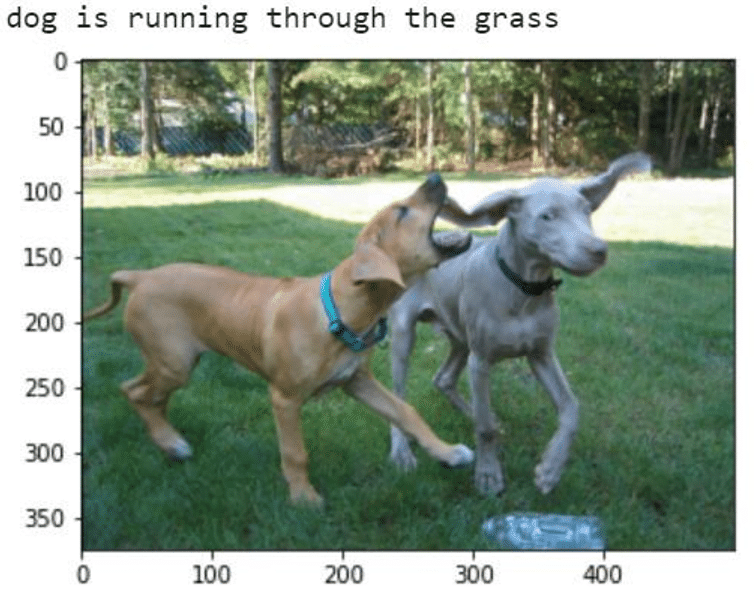
img_to_test = 'drive/My Drive/image_captioning/983801190.jpg'
img = plt.imread(img_to_test)
plt.imshow(img)

def extract_features(filename):
	# load the model
	model = VGG16()
	# re-structure the model
	model.layers.pop()
	model = Model(inputs=model.inputs, outputs=model.layers[-1].output)
	# load the photo
	image = load_img(filename, target_size=(224, 224))
	# convert the image pixels to a numpy array
	image = img_to_array(image)
	# reshape data for the model
	image = image.reshape((1, image.shape[0], image.shape[1], image.shape[2]))
	# prepare the image for the VGG model
	image = preprocess_input(image)
	# get features
	feature = model.predict(image, verbose=0)
	return feature

# pre-define the max sequence length (from training)
max_length = 34
# load the model
model = load_model('drive/My Drive/image_captioning/model_18.h5')
# load and prepare the photograph
photo = extract_features(img_to_test)
# generate description
description = predict_desc(model, tokenizer, photo, max_length)

description = ' '.join(description.split()[1:-1])
print()
print(description)
Download Source Code + Data
Do let me know if there’s any query regarding Image Captioning by contacting me on email or LinkedIn.
So this is all for this blog folks, thanks for reading it and I hope you are taking something with you after reading this and till the next time ?…
Read my previous post: GENERATING CIFAR-10 FAKE IMAGES USING DEEP CONVOLUTIONAL GENERATIVE ADVERSARIAL NETWORKS (DCGAN)
Check out my other machine learning projects, deep learning projects, computer vision projects, NLP projects, Flask projects at machinelearningprojects.net.